


Compass app - Accurate Compass
3.646.00 Reviews
App Specs
- Version
- 1.0.6
- Updated On
- License
- Free
- Downloads
- 1,000,000+
- Developer
- Photo and video apps
- Categories
- Maps & Navigation
- Platform
- Android
Screenshots
 Analysis by AppCompare
I treat a compass app as a quick directional aid, not a replacement for a map or a plan. On that basis, Compass app - Accurate Compass makes sense when I want to check which way I’m facing without opening a full navigation service. Its appeal is the narrow job it sets out to do: give me a heading and a few location readings, then get out of the way. Whether that is enough depends on how you travel and how much you expect one app to handle.
Choosing a compass for the way you travel
Before installing any digital compass, I ask what problem I’m trying to solve. If I need turn-by-turn directions to an address, a mapping app is the better first choice. If I’m already following a trail or exploring an unfamiliar neighborhood and just need to orient myself, a compass can be quicker and less distracting. The distinction matters: a heading tells me the direction the phone is pointing, but it does not tell me which path is safe, open, or connected to my destination.
This app is in the maps and navigation category, is free, and is marked for everyone. It is made by Photo and video apps, has a 3.6 average from around 775 ratings, and has passed over a million installs. I see that as a sign that the basic idea has found an audience, not as proof that every reading will be perfect on every phone. The app is at version 1.0.6, and it runs on Android 6.0 and up, so device compatibility is worth checking before you rely on it for a trip.
What I’d check before relying on it
A phone compass depends on the device’s sensors and the conditions around it. Calibration is therefore not a ceremonial step: moving the phone in a figure-eight can help the compass settle when its direction looks wrong or jumps around. I’d also take a moment to compare the indicated direction with something I know, such as a mapped street or a clear landmark. If the reading is inconsistent, recalibrating and moving away from nearby metal or electronics is a sensible first response rather than blindly following the screen.
That small habit is especially useful before setting off on a walk. I would check the direction while standing still, then put the phone away and use the surroundings to stay oriented. Holding a phone at an odd angle, turning rapidly, or checking it next to a car can make a simple compass check less dependable. This is not a flaw unique to this app; it is a practical limitation of using a phone as a compass at all.
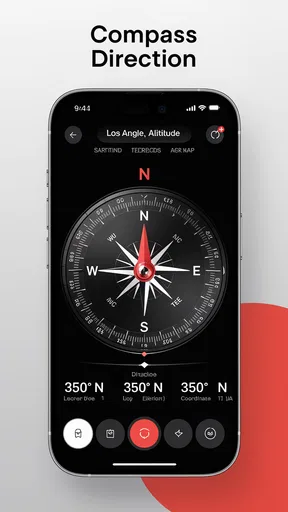
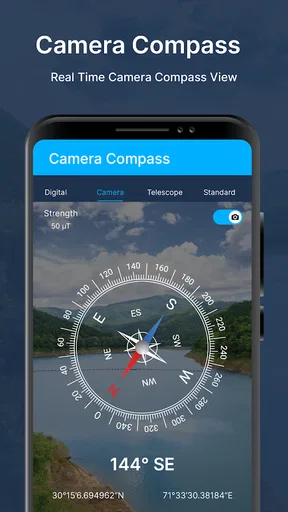
There is also a useful difference between knowing your heading and knowing where you are. The app’s latitude and longitude readings can help me communicate a location or compare it with another navigation tool, while altitude can offer extra context on a walk. Those readings are most useful when I treat them as supporting information, not as a full route plan. If I’m meeting someone outdoors, for example, coordinates may be more precise than saying “near the bend,” but I’d still want a map to make sure we mean the same place.
Where a focused tool earns its place
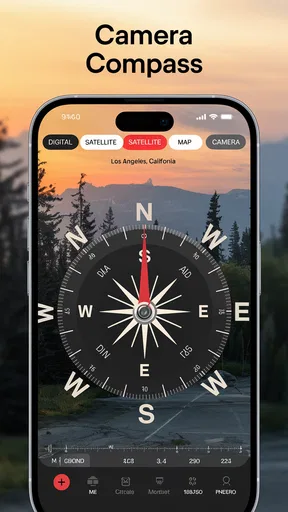
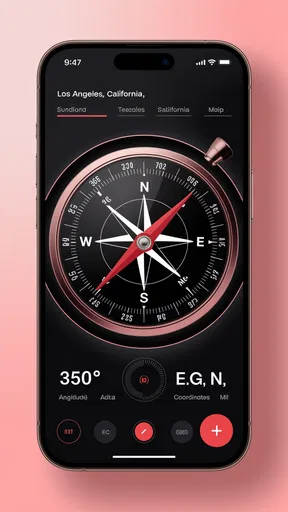
When you first open the Accurate Compass app, it greets you with a clean and straightforward interface. It’s like one of those old-school compasses your grandfather might have had, but with a modern twist. The app is intuitive and doesn’t overwhelm you with unnecessary features. It’s all about functionality, which is a breath of fresh air in today’s app market.
Worth Reading Before You Choose

EA SPORTS FC Mobile 26 Is a Bigger Football Game, but It Takes Time

Flipboard Shows What News Apps Must Do Beyond the Feed

Switching to Android Auto Means Rethinking Your Driving Routine

Google Calendar Makes a Crowded Week Easier to Manage

Ludo King Makes the Most of the Minutes Between Plans

Baby Panda World Brings Quick Play to Modern Phones, but Its Game Library Feels Busy
Now, I’m not going to pretend I’m a compass expert, but the level of accuracy here is impressive. You won’t be spinning around trying to figure out if you’re facing north or south. The app does a stellar job of keeping things simple yet effective.
Setting up the app is pretty straightforward. Once you’ve downloaded it, you just need to calibrate it by moving your phone in a figure-eight motion. This is crucial for getting accurate readings, so don’t skip this step!
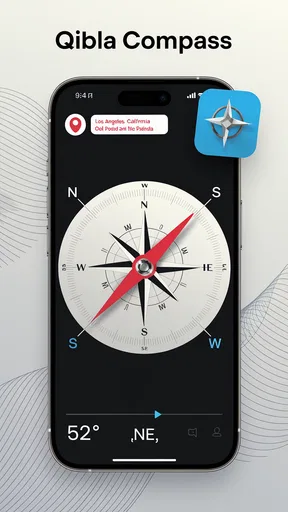
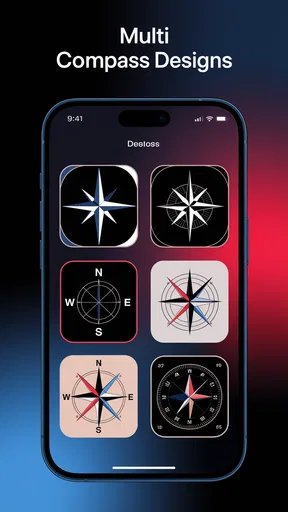
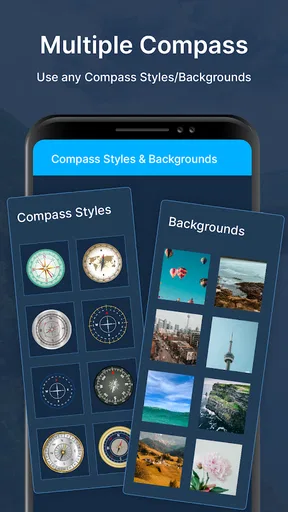
The app provides both digital and analog compass displays, which is pretty neat. Whether you prefer the classic look or a more modern digital interface, you’ve got options. Plus, the app is packed with features like latitude, longitude, and even altitude readings. It’s like having a mini adventure toolkit right in your pocket!
Those displays suit different kinds of quick checks. I find a digital readout handy when I want to note a direction precisely, while an analog face is easier to glance at when I’m simply trying to turn toward a landmark. A practical trick is to decide which display you’ll use before you start walking, rather than switching modes while moving. That keeps the check short and reduces the chance of mistaking a changing phone position for a change in route.
One everyday example: I’m leaving a subway station in a part of town I don’t know, and the street grid does not line up with the direction I expected. I can check the compass, identify which way I’m facing, and then open my usual map to choose the correct block. The compass helps with orientation; the map handles the route. Used together, they solve a real problem without asking this small app to do a mapping app’s job.
When simple beats an all-in-one app
One of the things I love about the Accurate Compass app is its simplicity. There are no ads cluttering the screen, which means no distractions while you’re trying to navigate. This makes it perfect for outdoor enthusiasts and casual users alike.
The app also shines in terms of battery usage. While some apps can be real battery hogs, this one is surprisingly efficient. Even during longer hikes, it doesn’t drain your phone’s battery like a hungry vampire. It’s great for those who want to spend more time exploring and less time worrying about their phone dying.
A dedicated compass can be more convenient than opening a feature-heavy map when all I need is a direction. It can also be a useful backup when I’m looking at a paper map: I can orient the map to the landscape, then compare trails and landmarks with what I see around me. The trade-off is that a compass alone will not show the trail network or warn me that a path bends away from the direction I’m aiming. For unfamiliar terrain, I’d pair it with a proper map and keep an offline copy or paper alternative if losing signal is a concern.
For a casual city walk, that division of labor is easy: use the compass to get your bearings, then use your preferred map for streets and destinations. For a hike, I’d be more cautious. I would plan the route beforehand, note major turns and landmarks, and avoid treating a heading as evidence that a route is passable. A compass is most helpful when it answers one small question clearly; it becomes less helpful when I expect it to make every navigation decision for me.
Where another option may fit better
While the app does a lot of things right, there are always areas to improve. For instance, it would be great to see more integrated maps within the app itself. Sure, you can use it alongside other map apps, but having everything in one place could be a game-changer.
Another feature that could enhance the app is a weather overlay. Knowing the weather conditions while you’re out and about is always a good idea, and having that info readily available could make this app even more valuable.
Those gaps make the choice fairly clear. If you want route planning, live directions, saved places, or a map view that puts your heading in context, a full navigation app is the more suitable primary tool. If you use a physical compass and map already, you may prefer those for trips where battery life, ruggedness, or independence from a phone matters. This app fits between those options: it offers a quick digital bearing and location details, without trying to replace a complete navigation setup.
One question I’d ask before a longer outing is whether my phone is a dependable compass in the conditions I expect. I’d test it close to home, calibrate it, and compare its reading with a known direction. Another is whether I can navigate if the phone battery runs low; for a remote route, I would carry a backup plan rather than assume the app alone is enough. These checks take little time and make the tool more useful precisely because they keep its limits in view.
Switching to this app is low effort if you only want an additional compass on your phone: you can open it for a heading and return to your regular map when you need route guidance. The more meaningful cost is changing your habits. If you currently rely on a single map app for everything, you’ll need to remember that the compass is a separate tool and that coordinates or altitude are not substitutes for route instructions. I’d keep the roles simple: compass for orientation, map for decisions, and local signs or landmarks as a reality check.
My recommendation
All in all, the Accurate Compass app is a solid choice for anyone needing a reliable compass on the go. It’s easy to use, accurate, and doesn’t bog you down with unnecessary extras. It’s a digital tool that respects your time and energy.
If you’re someone who loves outdoor adventures or simply wants a trustworthy navigation tool on your phone, this app is worth checking out. And hey, even if you’re just using it to find your way around a new city, it’s a handy addition to your app arsenal.
I’d recommend it most to people who want a straightforward directional check, appreciate having analog and digital views, and are comfortable using a separate map when a route needs more context. It is less suited to anyone expecting turn-by-turn guidance, built-in route planning, or a complete outdoor safety kit. The free price makes it easy to try, but I’d judge it on how consistently it behaves on your own device rather than on its rating alone. The age classification is everyone, so it is broadly suitable; the more important question is whether its limited, focused role matches your needs.
So, there you have it! If you’re curious to give it a whirl, you can find the download links on our site. Happy navigating, my friends!
Pros
- Highly accurate and reliable for navigation.
- Simple and intuitive user interface.
- Works offline without internet connection.
- Fast calibration ensures precise readings.
- Minimal battery consumption during use.
Cons
- Ads can be intrusive at times.
- Limited customization options available.
- Not compatible with all older devices.
- No advanced features for professional use.
- Requires access to device sensors.
FAQs for Compass app - Accurate Compass
What features does the Accurate Compass app offer?
The Accurate Compass app provides a variety of features including a magnetic and true north compass, a GPS location display, and a map integration for easy navigation. It also offers a clean interface with customizable color themes, making it suitable for outdoor activities such as hiking, camping, and traveling.
Is the Accurate Compass app reliable and accurate?
Yes, the Accurate Compass app is designed to provide precise directional readings by utilizing your device's magnetic sensor. It is important to calibrate the compass accurately by following the in-app instructions. The accuracy may vary depending on your device’s sensor quality and environmental magnetic interference.
Does the Accurate Compass app require an internet connection?
The basic functions of the Accurate Compass app, such as directional readings, do not require an internet connection. However, for features like map integration and GPS location tracking, an internet connection might be necessary to load map data and ensure location accuracy.
Is the Accurate Compass app free to use?
The Accurate Compass app is available for free with essential features. However, it may offer in-app purchases or a premium version that unlocks additional functionalities such as ad-free usage, enhanced themes, and advanced navigation tools. Check the app store for specific pricing and subscription details.
How user-friendly is the Accurate Compass app for beginners?
The Accurate Compass app is designed with a user-friendly interface, making it easy for beginners to navigate. It includes a simple tutorial to help new users understand its features and functionalities. The app’s intuitive controls and clear display make it accessible for users of all skill levels.


